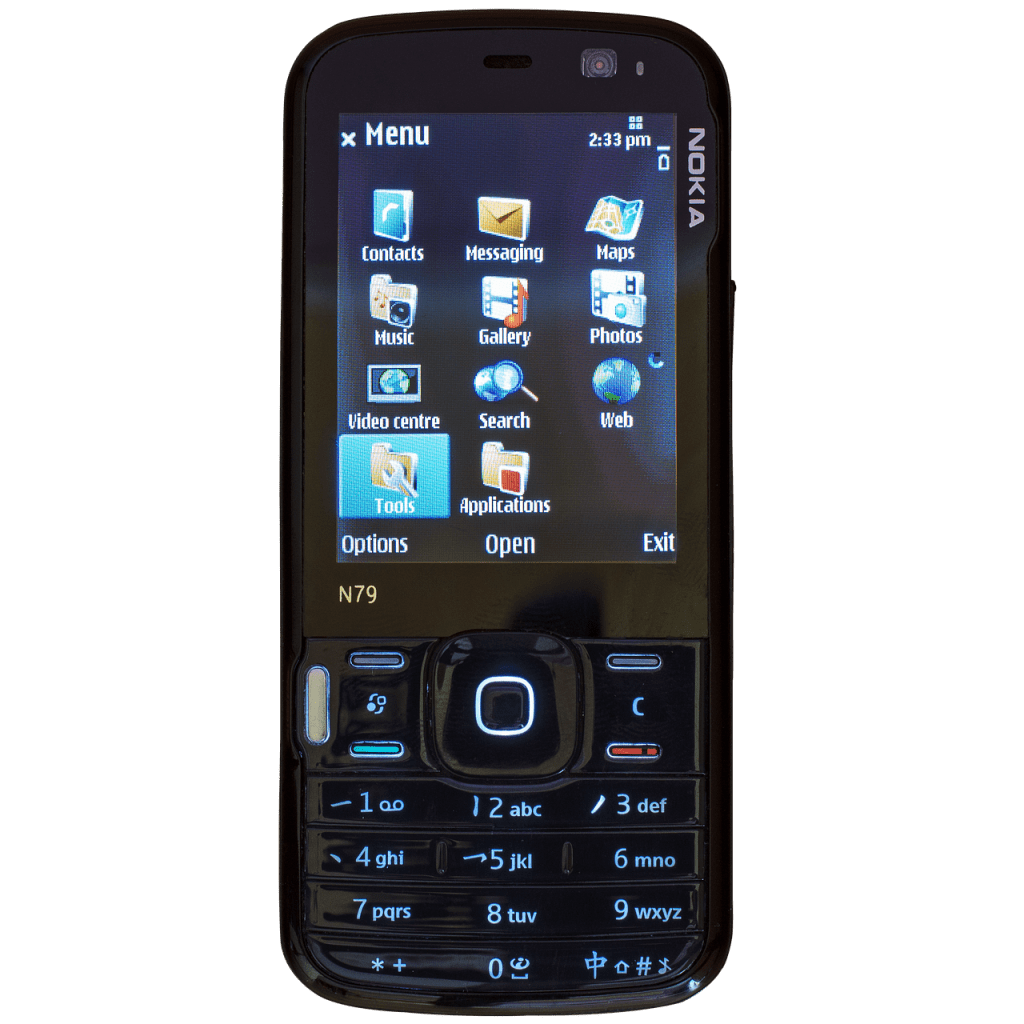
Though smart phones have taken over almost all mobile gadgets, it still feels good to have a small java phone like Nokia 6280, Tecno T529,or Alcatel OT-806. These phones may lack touch and the ability to run most popular apps like Whatsapp but they are good for calls, can work in places with low network (2G), are easy to handle and very affordable ( cost less than $50).
Recently, there has also been the need to create the improved version or a new generation of non smartphones called smart feature phones. These phones are neither smartphones or java phones but they have features similar to those found in most smartphones. E.g chat, wifi, 4g , Gps, video calls and can install apps like Whatsapp, YouTube ,google maps and so on. Smart feature phone are powered by a system called Kai OS. Examples of smart feature phones are Nokia 2760 flip, Alcatel GO FLIP 4, Nokia 8000 4G and Orange Sanza Xl.
Java powered phones can also do a lot especially if you buy them from the right brand. They can install apps, play games, enable tethering and other good features. To get a good java phone, make sure to buy one that sells internet as the main feature instead of music, media or touch.
What is java
Java is a programing language, the language is used to enable installation of apps and games in phones that are build on operating systems like Nokia symbian, nucleus OS and other mobile OS. Java is identified with a coffee cup icon.
How do I know my phone is java enabled?
If your phone can play 3d games, there is a high chance that it is java enabled but usually the phone manufacturer will tell you by indicating on the package or the sticker on the phone’s screen
Where to download and install java apps
Just like you get android apps from google play and other sites like apk4fun, apkpure or apkmonk, you can also download and install java apps from site like
The above 3 sites specialize in sharing java apps. Another company that you will not lack in java related mobile phones is Afmobi. It is the company behind apps like Boomplay and palmchat but they don’t have a specific site where you can download and install their apps.
How to differentiate java apps from android apps
Java apps have a .jad or .jar extension at the end, when downloading you will see this initials after the name and version of the app you are downloading. Something like operamini_ 4.5 .jad, If it has a .exe extension, that app is meant for android.
Which apps can I download
All apps can be downloaded, it all depends on your preferences. Most can install but not all will function. Apps like Whatsapp might fail in some phones but work in others. For example Whatsapp will work in Nokia but tend to fail in Tecno phones.
Some of the apps you are likely to be successful with are opera mini earlier versions, Facebook lite, UC browsers and related apps. Games can also be downloaded e.g Subway Surfers, Asphalt 6 by Gameloft and others.
How to install
Most of these apps will install automatically, if they don’t, go to the folder where it was downloaded, probably this is the download folder in the file manager under phone or memory card of your phone then click the app. In one of the options will be to install, click install and you are done.
If the app is installed, you will find it in the java or games part of the phone. The java section is also the part through which you can install apps directly, it is like the java version of google play.
Why are my apps failing to install?
First check which browser you are using, I would recommend opera mini. Second, make sure you have enough memory. That might require you to install a memory card. If not, the apps will fail to download or keep redirecting you to the default browser for download and installation.
Another thing you need to check is the version of java app you are trying to install. The latest version of the apps might fail compared to the earlier versions. For example opera 4 will work with most java phones but opera 7 might fail in some. Also, make sure you are connected to the internet.
 Notionet
Leave a comment