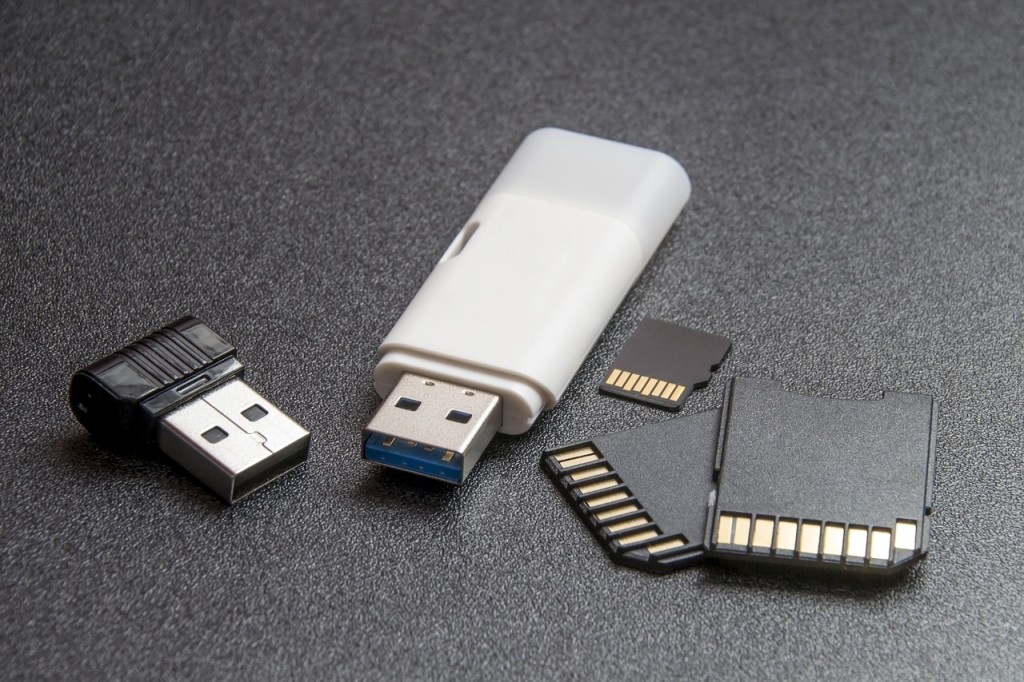
When you visit a cyber cafe to have your phone checked or to download some files to a flash disk, one of the request they might make is to format your sd card. The reason can be to remove a virus, create more space to add files or simlpy to use it as extra storage in your phone if its is a memory card. Unless formating is the only choice left, it’s better to avoid formating your sd card or flash disks.
One of the things most users don’t understand is that formatting and deleting are two different terms with different meaning, Its the same confusion that happens when it comes to reseting and flashing a phone or computer. Before we look at the meaning of all these four terms, we need to understand or at least get a little deeper knowledge of phone’s storage, memory, memory cards, flash disks and how they work.
If you went to computer classes you must have been taught something about RAM and ROM. These are also terms you might have noticed mentioned under the features section when you were purchasing a phone or computer. RAM stands for random access memory while ROM stands for Read Only Memory. The ram is usually smaller in most gadget compared to the rom because its needed for short term use i.e when a computer or phone is running a certain program or application.
The ROM is our area of focus because it is what most understand as the internal storage/memory of a phone which is not entirely true. If you check how the term ROM is used by most techies, you will realise that it actually refers to the operating system of a device. That is the software running a phone or computer. It could be android, IOS, windows or mac. A thing that might surprise you but one that you need to know is that flash disks also have operating systems just like the one in your phone. These is the reason why it is called the Read Only Memory, because it cannot be edited or written else it will affect how a device functions or even damage it completly.
What is a memory card or flash drive and what is it made of
To even get more understanding you need to know the difference between memory and storage/space. Memory is the data stored in a drive while storage is the capacity or space available in a disk/drive. Thats why ROM is called the read only memory because its the kind of data that cannot be written/edited as its the program or code written in the phone’s drive or computer’s hard disk by the manufacturer.
The flash drive is a chip mostly made of silicon (a kind of plastic that can allow flow of electrical current ). The work of a drive or SSD is to read and store data in binary format, that is in a language the computer, phone or other device can understand. One of the data stored in the drive is the Operating system or ROM, then the application installed in the device and finally data that is entered through downloads, typing or sharing through bluetooth e.g videos, music, documents and so on. All this are contributing to the memory used in the hard disk.
The data that is entered by you or any other computer user is not counted as ROM because it can be edited, erased or lost but the one written by the manufacurer cannot be edited, it can only be read and that includes the Operating system and the BIOS ( basic input and output system) of a computer and other electronic devices.
Flash disks and memory cards also have something called a file system. A file system determines how data is stored in a card or disk. We can view the filesystem as a table that arranges data. Just like we have crates, racks and shelves in homes. Examples of popular file systems are FAT32, exFAT and NTFS.
What happens when you format an sd card or flash disk
Asuming that you already have a clue, lets go back to our four terms formating, deleting, reseting and flashing. Deleting simply means removing a file from an sd card but formating not only involves the files but also the file system. Everytime you format a disk, its like you are rearranging it. Formating can even reduce the capacity of the disk. A 32gb sd card can be reduced to 300mbs when formated through a phone or camera that cannot handle high capacity sd cards. The memory can be recovered but it will need to be formarted again using a computer.
After formarting an sd card, it can affect its compatibility with some devices. Thats because formating means reassigning a new file system to the sd card. It is like Flashing a phone. When flashing a phone you are assigning it a new Operating system which is different from factory reseting where you are simply deleting all the data in the phone. Just like some operating systems are not compatible with some phones, some file systems are not compatible with some phone too. For example the file system NTFS is not compatible with android phones and tablets but FAT32 is compatible with almost all devices.
Thats why one needs to avoid formatting their sd cards. Improper formating of sd cards and flash drives can cause damage and reduce their durability. Flashing of mobile phones and computers too is not recommended if one is not sure of the right OS/ROM /firmware to install. If the intention is just to free space, deleting is the better option.
 Notionet
Leave a comment